Keyline

Built around the jobs your print shop runs.

See how Keyline handles sheetfed offset, digital short runs, books and finishing, using your machines and production paths.

Fits your print shop.

Keyline models how your shop actually produces. Three examples.

Commercial & offset printing

Example job

Brochure A4, 32 pages plus 4-page cover, 5,000 copies, 4/4 colour, text on matt coated 115 gsm, cover 250 gsm, saddle stitched

How Keyline calculates it

Keyline imposes the text on your sheet sizes, calculates make-ready, waste and run time per machine, and compares the paths across your presses. Text and cover run as separate components in the same process net.
Digital printing & short runs

Example job

Business cards 85 × 55 mm, 12 versions of 250 each, 4/4 colour, 350 gsm, matt laminated

How Keyline calculates it

In planning, Keyline gangs short runs into batches. Your customer uploads the print data for each version on their customer page.

Books & finishing

Example job

Hardcover 170 × 240 mm, 272 pages, 1,000 copies, text in black and colour, thread sewn

How Keyline calculates it

Black text, colour sections, endpapers and cover are calculated as separate components, each with its worksteps from folding and sewing to casing-in. Folding schemes are part of the imposition.

From estimate to plan. From plan to print.

Prepress and production work with the same job data. Machines, materials and worksteps are already part of the estimate and follow the job through production.

Release. Schedule. Keep an overview.

Releasing a job to production turns the estimated production path into a job plan. Your planning team continues with the machines and worksteps already specified for the job, without entering it again.

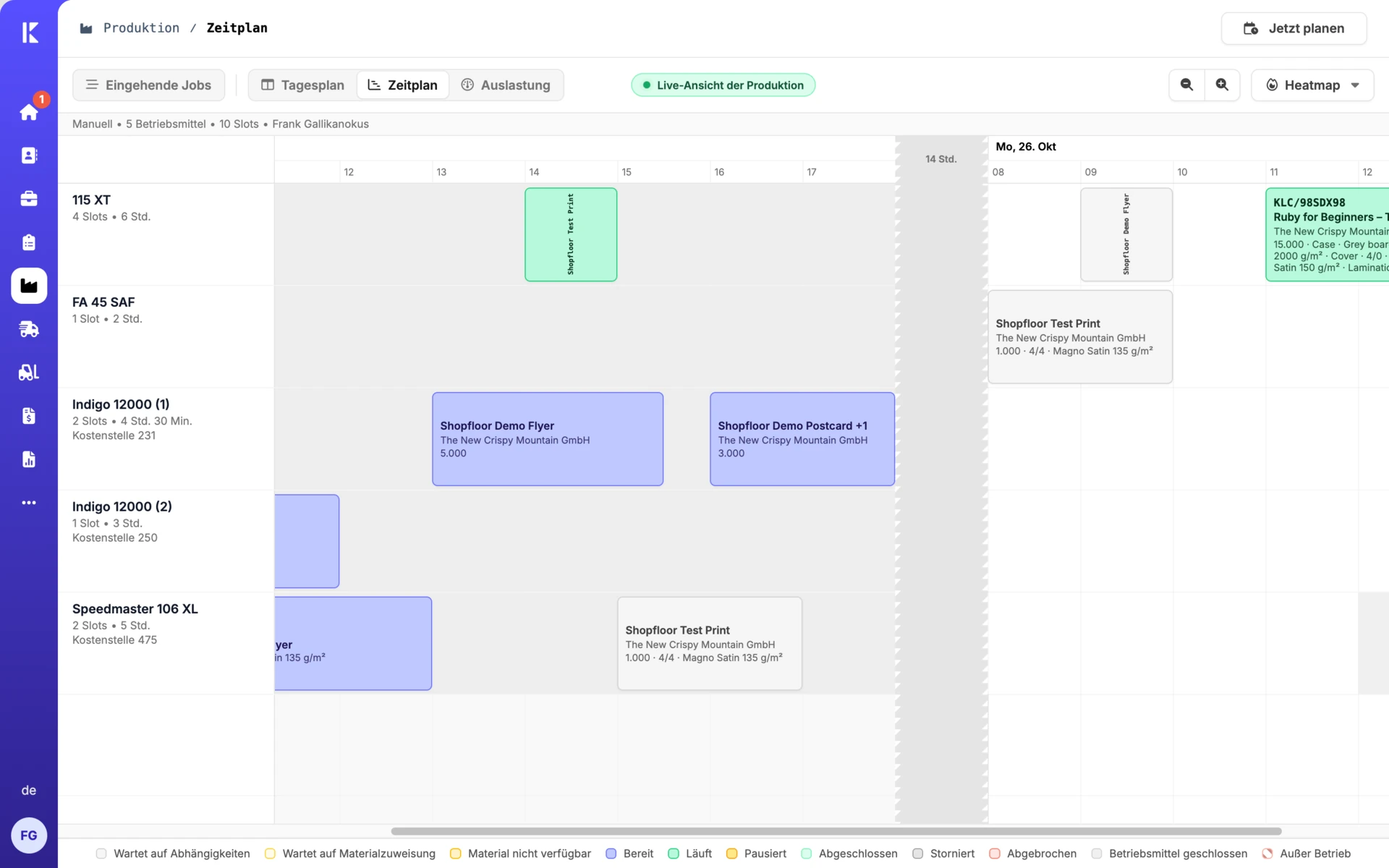
The schedule shows which job runs on which machine and when. The utilization view shows available capacity and bottlenecks, helping you plan job order and deadlines together.

Production schedule with jobs assigned to machines and their worksteps.

Production schedule

Group jobs. Produce together.

Production lines organize jobs around your workflows. Batching groups suitable jobs together, so every short run does not have to pass through production on its own.

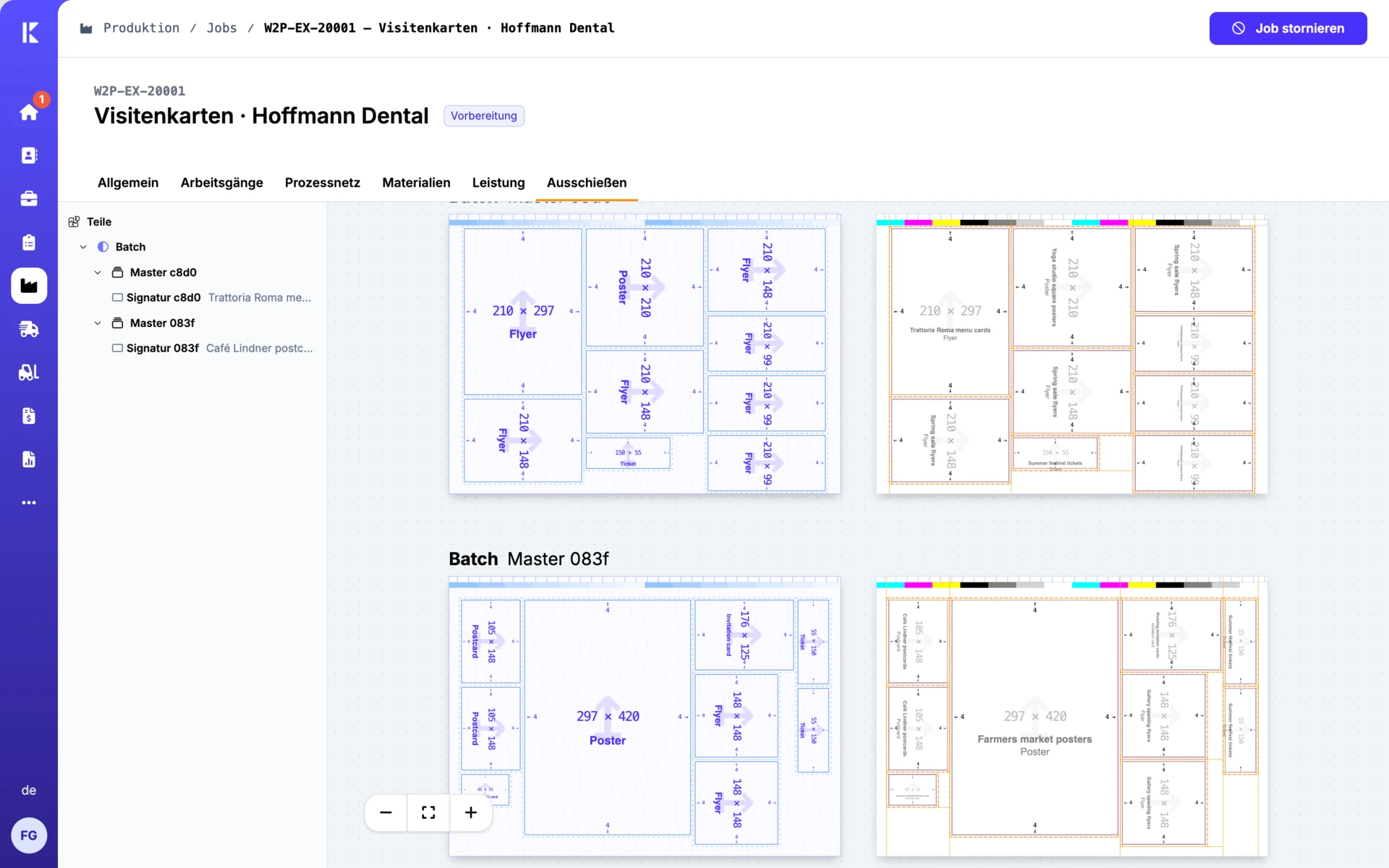
Imposition arranges products on the press sheet. Gang forms combine multiple products on a shared sheet. The preview shows the layout and its jobs, giving planning and production the same view.

Imposition view with multiple print products arranged on shared gang forms.

Imposition and gang forms

Report progress at the machine.

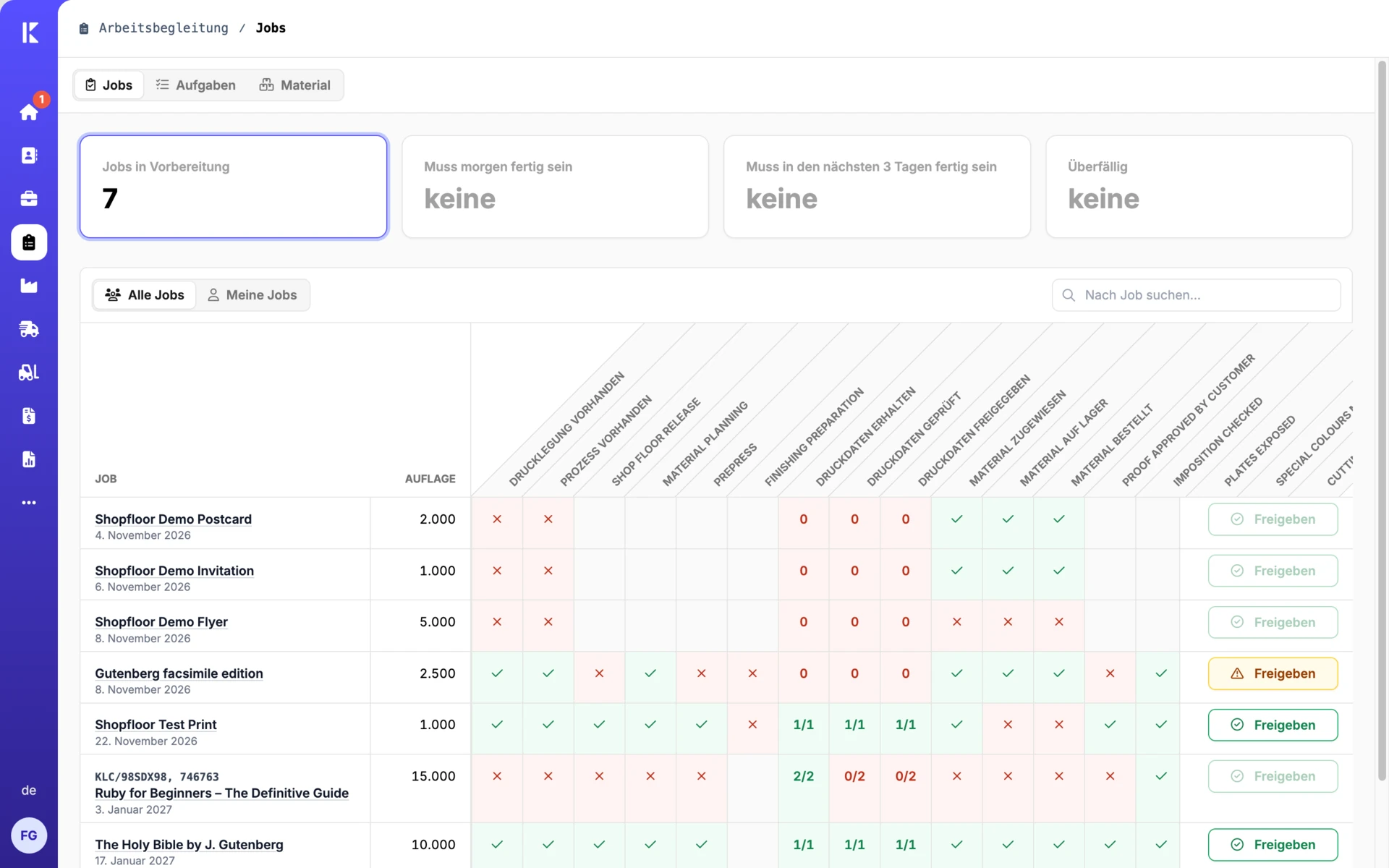
On the shop floor, your team sees the jobs and worksteps for each machine. They can start, pause and finish worksteps; barcode scans help identify the right job.

Photo records and material slips are available at the machine. Reported progress flows back into the project, so planning and customer service can check a job’s status without having to ask on the shop floor.

Shop floor overview with jobs, worksteps and approvals.

Shop floor tracking

Let’s talk.

Have a question about Keyline or want to talk about your print shop? Send us a message. Georg Schott will get back to you personally. If you would like to see Keyline in action, simply select your interest in a demo.

Georg Schott

Georg Schott

Your personal contact

We get back to you within one working day.

We only use your details to contact you about your request.